Description
Educational Members receive free access to this course! The course can also be purchased as part of a course bundle.
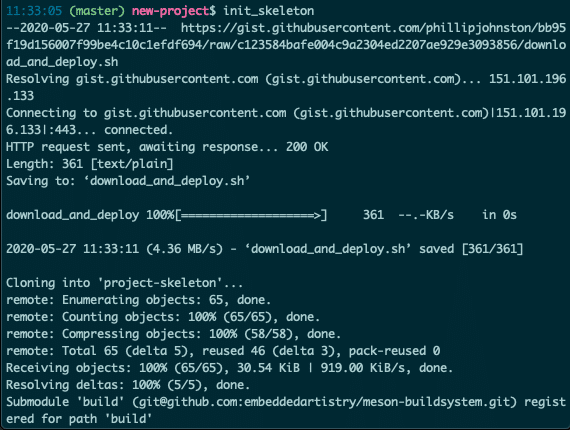
Imagine this scenario. You need to set up a repository for a new internal project. You create the new repository and run a single shell command that takes the repository URL as an argument. Less than a minute later, your repository has been configured to use your organization’s standard project skeleton, ensuring that even an experimental prototype will have out-of-the-box support for cross-compilation, quality enforcement, and CI processes.
If that’s a world you want to live in, this is the course for you.
In this course, we guide you through automating the process of deploying your reusable project skeleton to a new project. We also guide you through automating the setup process for a new development machine.
You will learn to:
- Automate the setup of a new Git project using a project skeleton with submodules
- Configure the deployment script to support multiple usage options
- Create Bash aliases and functions that are used to set up a new repository with a single command, even if the project skeleton is not present on your system
- Create Bash aliases that simplify the process of working with projects using your standard project skeleton
- Automate the installation and updating of dependencies
- Automate the process of downloading and installing dependencies outside of a package manager
- Automate the setup of configuration files on a new machine
At the end of this course, you will have scripts and custom shell commands that enable you to set up a new repository or new development machine. By doing this work just once, you’ll reap the benefits on every future project that you start.
Support
We’re here to help you if you get stuck! Our course is designed to be as comprehensive as possible, but also challenging. You can always ask questions or get help in the Course Support section of the forum, through private messages in the course interface, and also through private messages in the forum.
More Information
For more information, please see the course page.